Run Claude Code in a Loop: A Guide to Persistent Agents
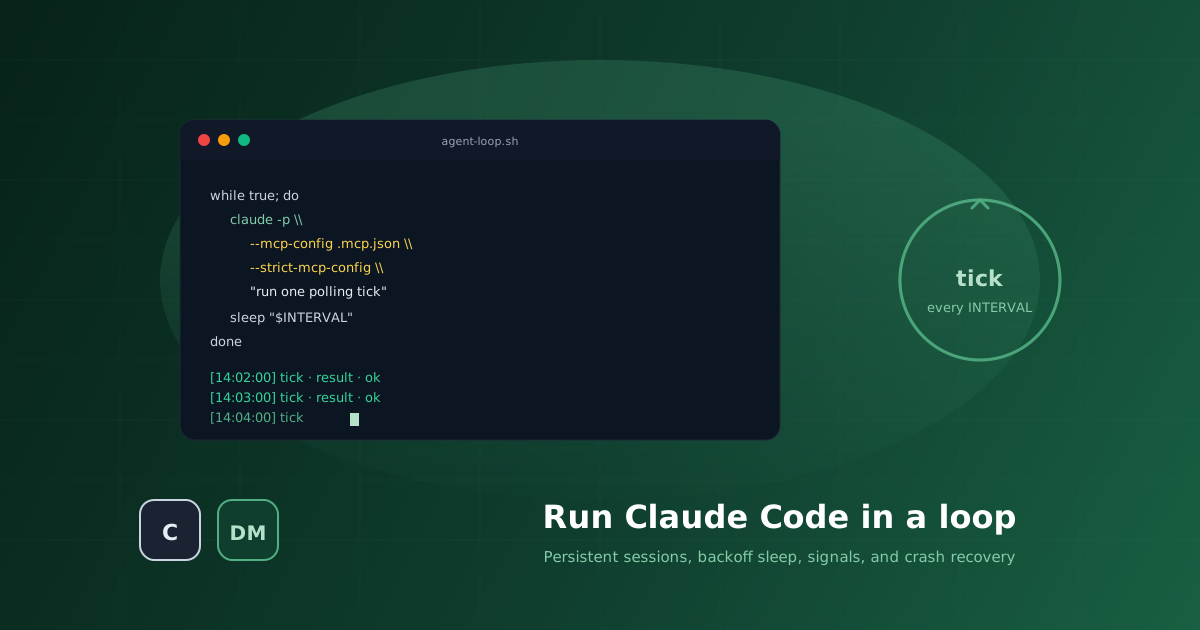
Claude Code is built for interactive sessions. You type, it acts, the conversation ends. That is the right shape for a developer at a keyboard. It is the wrong shape for an agent that needs to keep watch on something. A queue. An inbox. A file. A webhook. A remote service.
Turning Claude Code into a persistent worker means wrapping it in a loop. This guide covers how, from a fifteen-line shell script to a stream-json Python wrapper with exponential backoff, signal handling, and crash recovery.
claude -p in while true; do ... sleep 60; done. For lower latency and cheaper ticks, keep claude warm with --input-format stream-json --output-format stream-json and feed prompts on stdin. Use /clear between tasks. Add backoff sleep, SIGUSR1 wakes, and --resume for crash recovery.
Why a Loop in the First Place
The naive shape of a polling agent is to spawn a fresh claude -p each tick, send a prompt, read the output, and exit. It works on a whiteboard. In practice the cold-start cost is brutal:
- MCP servers handshake on spawn. A multi-second cost on every tick, every time.
CLAUDE.mdand the skill catalogue have to be re-read and re-cached.- Session transcripts fragment into tiny files that are hard to reason about.
- A 20-second polling interval becomes 30 seconds with cold-start tax.
A persistent session keeps everything hot. One claude process per agent, stdin open, ticks become user-prompt-submit events against an already-loaded session.
The Simple Version: bash and claude -p
When you just want to see the loop work, this is the smallest possible thing:
#!/usr/bin/env bash
# agent-loop.sh - minimal Claude Code polling loop
set -euo pipefail

INTERVAL="${INTERVAL:-60}"   # seconds between polls
source .env 2>/dev/null || true

while true; do
  echo "[$(date +%H:%M:%S)] tick"
  claude -p \
    --mcp-config .mcp.json --strict-mcp-config \
    --dangerously-skip-permissions \
    "$TICK_PROMPT"
  sleep "${INTERVAL}"
done
The TICK_PROMPT is the heart of this script. Set it before the loop to whatever the agent should do every tick. Make it imperative and name the tools you want called. Some examples:
# Watch an inbox
TICK_PROMPT="Call list_dms. For every unread message, read_dm it,
do the work, then reply with send_dm. Empty inbox? Exit quietly."

# Watch a queue
TICK_PROMPT="Call queue_pop on the jobs MCP. If you got a job, do it
and call queue_ack. Otherwise exit quietly."

# Watch a webhook log
TICK_PROMPT="Read ./inbox/*.json. Process each file, then move it to
./inbox/processed/. If the directory is empty, exit quietly."
Make the script executable, set TICK_PROMPT, and run it. That is a working agent.
What it does:
- Spawns
claude -pin print mode, no TTY, no scrollback. - Loads
.mcp.jsonwith--strict-mcp-configso a bad config fails loud rather than silently dropping servers. - Skips permission prompts because there is no human at this terminal. Scope tightly through
.mcp.jsoninstead. The agent only has the tools you give it. - Sends one prompt, waits for the result, sleeps, repeats.
What it costs: several seconds of cold-start per tick, a re-handshake of every MCP server, and a fresh conversation history every time. For a one-minute polling interval that is fine. For sub-second responsiveness or many ticks per minute, you want the persistent version below.
How the Loop Enforces Work
The thing that actually makes a polling agent reliable is the reset between ticks. Not the agent's good behavior, not CLAUDE.md, the reset. Without it, an agent that finishes one task simply sits there.
In the simple shell version, the reset is free: every tick is a brand new claude -p process. The previous turn's "I am done with this task" thought is in another universe. The new process gets a new prompt and starts over. Whatever the prompt names is what the agent will do.
Two design rules follow from this:
- Make the tick prompt imperative and tool-named. Do not write "follow your CLAUDE.md". Write "call
list_dms" or "pop one job from the queue withqueue_pop".CLAUDE.mdis for context and constraints. The tick prompt is for the action you want this tick. - Make the tick prompt idempotent. Calling it twice on the same state should be a no-op. That is what lets the loop fire safely on a timer.
The persistent stream-json version keeps the claude process alive across ticks, which means the conversation history is also alive. To get the same reset behaviour, the wrapper sends /clear between completed units of work. After the agent finishes a task, it touches .orchestrator/clear-session; the wrapper sees the file and sends /clear before the next TICK_PROMPT. That drops the conversation but keeps MCP servers, skills, and the parsed CLAUDE.md loaded. The next tick starts fresh.
Either way, the principle is the same: the loop, not the agent, is what guarantees that each tick begins.
The Upgrade: stream-json Persistent Session
The Claude CLI supports stream-json mode. Each user message is one JSON line on stdin; each event is one JSON line on stdout. The wrapper spawns claude once and feeds prompts forever.
The invocation:
claude --print --verbose \
       --input-format stream-json --output-format stream-json \
       --include-partial-messages \
       --dangerously-skip-permissions \
       --mcp-config .mcp.json --strict-mcp-config
Flags that matter:
--print. Non-interactive, no TTY.--input-format stream-json. Every user message is one JSON line on stdin.--output-format stream-json. Every event (system init, assistant delta, tool use, result) is one JSON line on stdout.--include-partial-messages. Keep deltas queryable in case you want them later.--dangerously-skip-permissions. No human to approve. Scope through.mcp.json.--strict-mcp-config. Fail loudly when.mcp.jsonis malformed.
Stdin and Stdout Framing
Input, one JSON line per user message:
{"type": "user", "message": {"role": "user", "content": "<prompt>"}}Output, three event types matter for the loop:
{"type": "system", "subtype": "init", "session_id": "<uuid>"}. Captured once per spawn. Used for--resume <uuid>on crash recovery.{"type": "result", ...}. The turn is complete. The wrapper stops waiting and the tick returns.{"type": "__eof__"}. Sentinel the wrapper enqueues when stdout closes. Triggers a respawn.
All other event types (tool use, partial messages, content deltas) can be drained or surfaced as needed.
/clear Between Tasks
Conversation history accumulates inside the persistent session. Left unchecked, that bloats every tick and costs tokens. The fix is the /clear slash command. Send it as a user message between completed units of work. It drops the conversation without dropping MCP servers, skills, or the parsed CLAUDE.md.
The pattern: the agent touches a control file (.orchestrator/clear-session) when it finishes a task. The wrapper checks for that file before each tick. If present, it sends /clear first, then unlinks the file.
Backoff Sleep
A good loop is cheap on quiet days and responsive when there is traffic. Three knobs:
MIN_SLEEP = 60. Sleep after a productive tick.IDLE_STEP = 60. Added per idle tick.MAX_SLEEP = 3600. Ceiling.
If the last tick did meaningful work, reset sleep to MIN_SLEEP. Else add IDLE_STEP, capped at MAX_SLEEP. The agent itself signals "did work" by touching .orchestrator/did-work during the tick.
Signals
Two signals matter:
SIGUSR1. Wake. The wrapper sets an event; the next sleep wakes immediately. In-flight ticks ignore it. Send SIGUSR1 to the wrapper pid (not the process group) so an in-progress turn is not disturbed.SIGTERM/SIGINT. Shutdown. Set a stop event, exit the sleep, send/exitto Claude, wait up to 30 seconds, then kill.
Crash Recovery
If the claude subprocess dies mid-loop, the stdout pump enqueues __eof__, the tick returns None, and the wrapper respawns. If a session_id was captured before the crash, the respawn includes --resume <session_id> so the conversation continues rather than starting fresh.
A Complete Script
Here is a single-file Python wrapper that ties all of this together. About 130 lines. Drop it next to your .mcp.json and CLAUDE.md.
#!/usr/bin/env python3
"""agent-loop.py - persistent Claude Code polling loop.

Spawns one `claude` subprocess in stream-json mode, feeds it a tick
prompt at exponentially-backed-off intervals, and respawns on crash.
"""
import json, os, signal, subprocess, sys, threading, time
from pathlib import Path
from queue import Queue, Empty

ORCH = Path.cwd() / ".orchestrator"
ORCH.mkdir(exist_ok=True)

MIN_SLEEP = int(os.environ.get("MIN_SLEEP", "60"))
IDLE_STEP = int(os.environ.get("IDLE_STEP", "60"))
MAX_SLEEP = int(os.environ.get("MAX_SLEEP", "3600"))
RESULT_TIMEOUT = int(os.environ.get("RESULT_TIMEOUT", "600"))

# Replace this with the actual work for your agent. Name the tools.
# E.g. for an AgentDM inbox watcher:
#   "Call list_dms. For every unread message, read_dm it, do the
#    work it asks for, then reply with send_dm. If the inbox is
#    empty, exit quietly without printing anything."
TICK_PROMPT = (
    "<your imperative tick prompt here>. "
    "If you did meaningful work, touch .orchestrator/did-work. "
    "If you finished a task, touch .orchestrator/clear-session."
)

stop_event = threading.Event()
wake_event = threading.Event()


class ClaudeAdapter:
    def __init__(self):
        self.proc = None
        self.events = Queue()
        self.session_id = None

    def spawn(self):
        cmd = [
            "claude", "--print", "--verbose",
            "--input-format", "stream-json",
            "--output-format", "stream-json",
            "--include-partial-messages",
            "--dangerously-skip-permissions",
            "--mcp-config", ".mcp.json", "--strict-mcp-config",
        ]
        if self.session_id:
            cmd += ["--resume", self.session_id]
        self.proc = subprocess.Popen(
            cmd, stdin=subprocess.PIPE,
            stdout=subprocess.PIPE, stderr=subprocess.PIPE,
            text=True, bufsize=1,
        )
        threading.Thread(target=self._pump_stdout, daemon=True).start()
        threading.Thread(target=self._pump_stderr, daemon=True).start()

    def _pump_stdout(self):
        for line in self.proc.stdout:
            try:
                evt = json.loads(line)
            except json.JSONDecodeError:
                continue
            if evt.get("type") == "system" and evt.get("subtype") == "init":
                self.session_id = evt.get("session_id") or self.session_id
            self.events.put(evt)
        self.events.put({"type": "__eof__"})

    def _pump_stderr(self):
        with open(ORCH / "agent-loop.log", "a") as f:
            for line in self.proc.stderr:
                f.write(line); f.flush()

    def send(self, content: str):
        msg = {"type": "user", "message": {"role": "user", "content": content}}
        self.proc.stdin.write(json.dumps(msg) + "\n")
        self.proc.stdin.flush()

    def wait_for_result(self, timeout: int):
        deadline = time.time() + timeout
        while time.time() < deadline:
            try:
                evt = self.events.get(timeout=1)
            except Empty:
                continue
            if evt.get("type") == "__eof__":
                return None
            if evt.get("type") == "result":
                return evt
        return None

    def alive(self) -> bool:
        return self.proc is not None and self.proc.poll() is None


def sleep_with_wake(seconds: int):
    end = time.time() + seconds
    while time.time() < end and not stop_event.is_set() and not wake_event.is_set():
        time.sleep(min(1, max(0, end - time.time())))
    wake_event.clear()


def tick(adapter: ClaudeAdapter) -> bool:
    if (ORCH / "clear-session").exists():
        adapter.send("/clear")
        adapter.wait_for_result(timeout=30)
        (ORCH / "clear-session").unlink()
    adapter.send(TICK_PROMPT)
    adapter.wait_for_result(timeout=RESULT_TIMEOUT)
    did_work = (ORCH / "did-work").exists()
    if did_work:
        (ORCH / "did-work").unlink()
    return did_work


def main():
    signal.signal(signal.SIGUSR1, lambda *_: wake_event.set())
    signal.signal(signal.SIGTERM, lambda *_: stop_event.set())
    signal.signal(signal.SIGINT, lambda *_: stop_event.set())

    adapter = ClaudeAdapter()
    adapter.spawn()
    sleep_seconds = MIN_SLEEP

    while not stop_event.is_set():
        if not adapter.alive():
            adapter.spawn()
        try:
            did_work = tick(adapter)
        except Exception as e:
            print(f"tick failed: {e}", file=sys.stderr)
            did_work = False
        sleep_seconds = MIN_SLEEP if did_work else min(sleep_seconds + IDLE_STEP, MAX_SLEEP)
        sleep_with_wake(sleep_seconds)

    if adapter.alive():
        adapter.send("/exit")
        try:
            adapter.proc.wait(timeout=30)
        except subprocess.TimeoutExpired:
            adapter.proc.kill()


if __name__ == "__main__":
    main()
Running It
chmod +x agent-loop.py
./agent-loop.py
Logs go to .orchestrator/agent-loop.log. Wake it from another process by sending SIGUSR1 to its pid. Shut it down cleanly with SIGTERM.
Tune through env vars:
MIN_SLEEP=10 IDLE_STEP=10 ./agent-loop.py. Snappy ten-second loop after work.MIN_SLEEP=300 IDLE_STEP=300 MAX_SLEEP=7200 ./agent-loop.py. Long polling for cheap idle.
Where to Go From Here
This script is the bones. Once it is running, the interesting work happens in the tick prompt and CLAUDE.md. What does a tick actually do?
Some patterns that work well:
- Watch an inbox. The agent calls a messaging tool every tick. See Agent to Agent Communication With AgentDM for a complete worked example with two agents talking through a shared bus.
- Watch a queue. Pop one job, do it, ack.
- Watch a file or directory. Diff against last seen state, react.
- Watch a remote service. Poll an API, take action when state changes.
The loop does not care what is in the tick prompt. Whatever your agent should be doing, this is the bones for doing it forever.
The AgentDM team